
Resource monitor · process workbench · in development
Watch what runs.
Question it.
Heresia is a native task manager for Linux and Windows. It groups processes under the applications they belong to, graphs the devices it can read, lists services and local containers, and says so when it cannot read something instead of showing zero.
Free software, Apache-2.0. No telemetry. In active development, not yet at pre-release: there is nothing to download. What to expect.
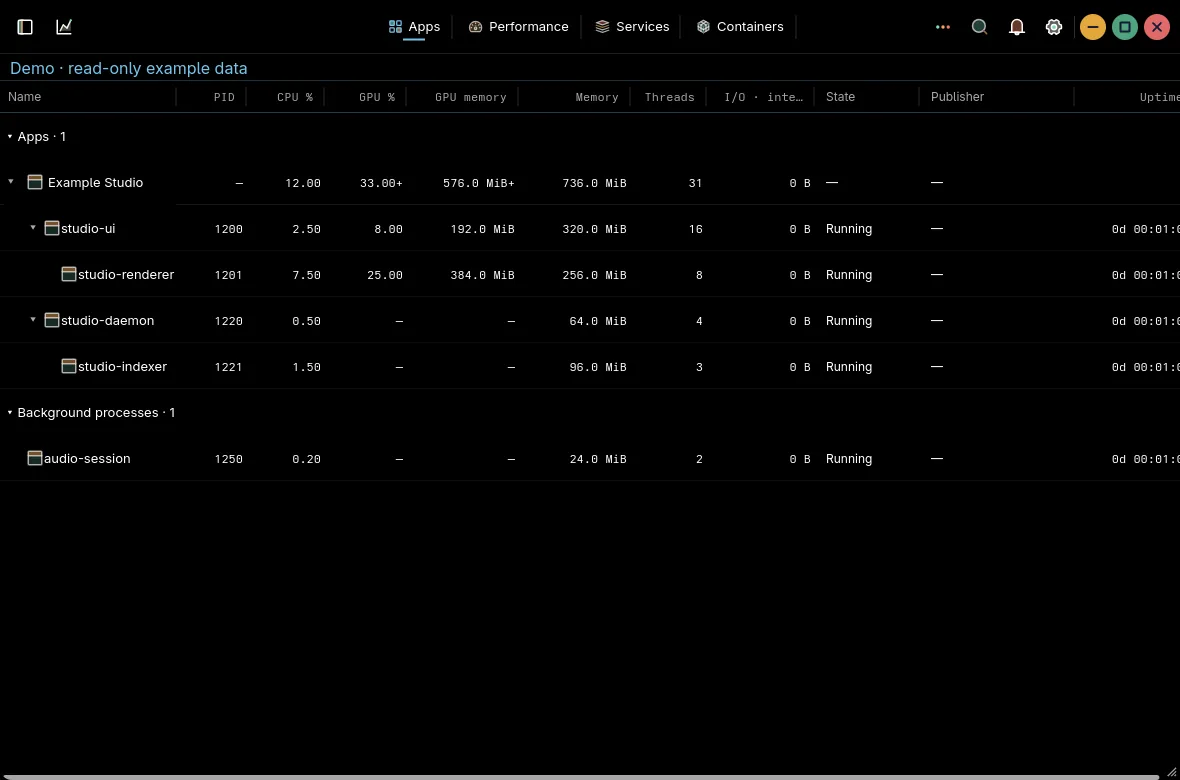
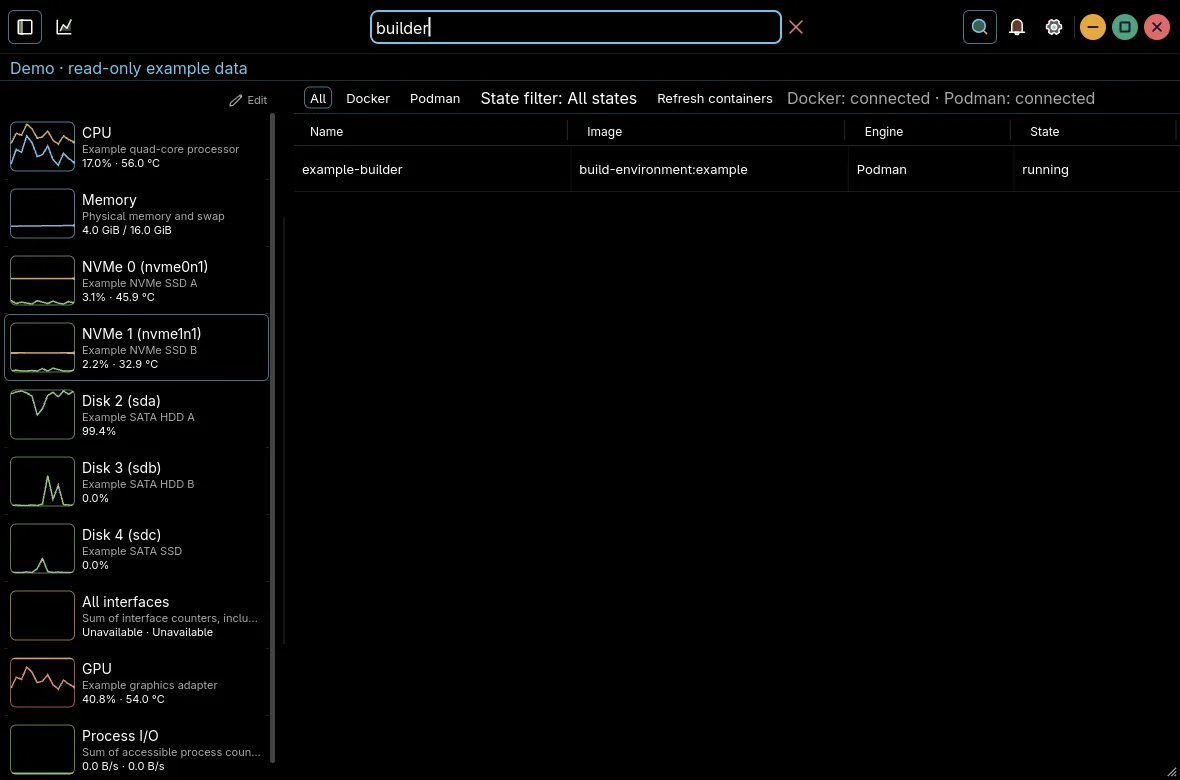
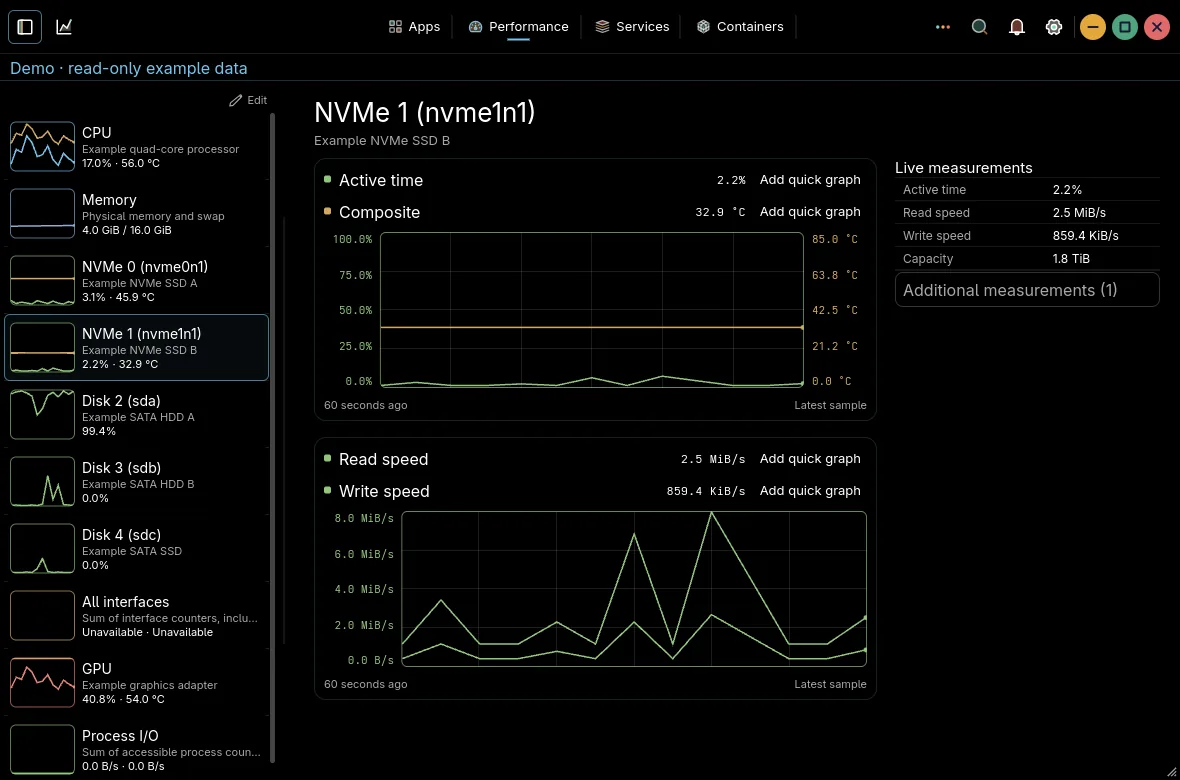
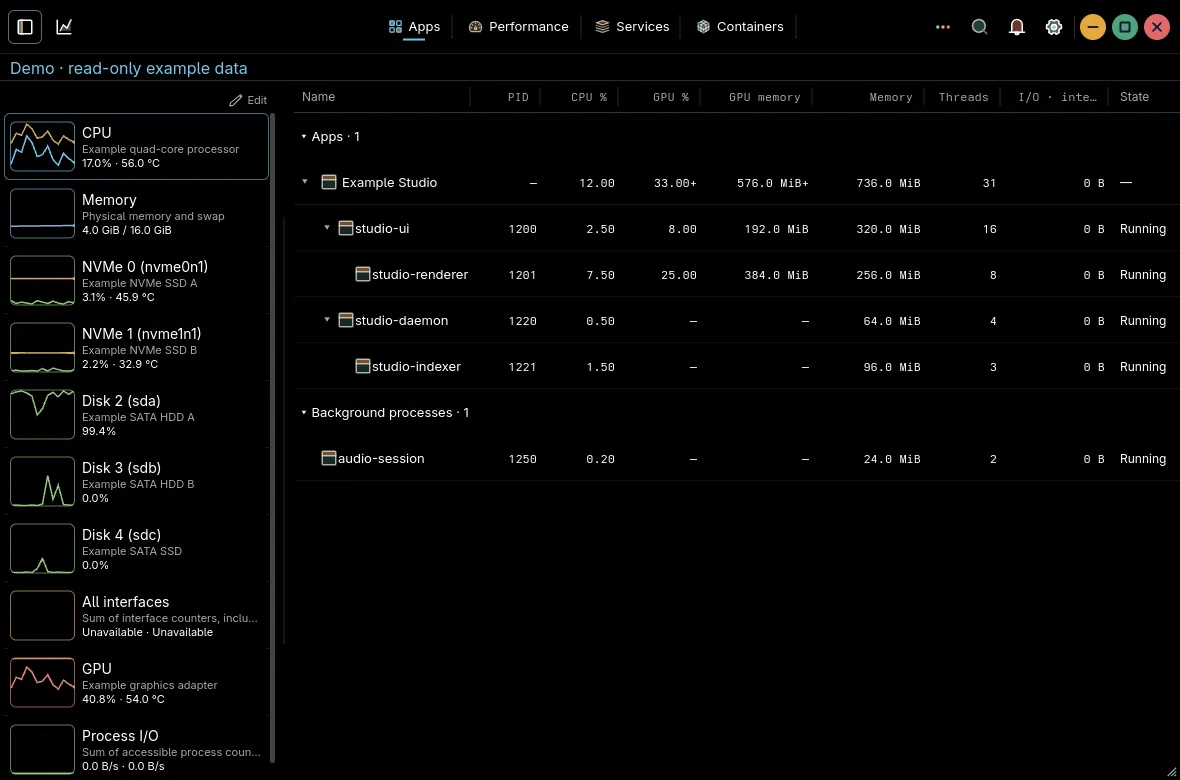
Captures of development builds on example data (heresia --demo) and test fixtures. The interface is still being redesigned, so these pictures will change.
01 / Apps
Processes, under the app they belong to.
Apps lists the active desktop applications, tray-only ones included, not every installed program. In tree view each one is a named row above its own process trees. A UI process and its separate daemon sit side by side under one application when the desktop registration or a live application scope ties them together; an operating-system child stays beneath its real parent.
On Linux, identities come from desktop entries matched to executable paths or launch scopes. A process that cannot be tied to an application reliably is never guessed into another application's tree.
- Totals that say what they are. An application's row sums the CPU and GPU of its live members even when they are collapsed or filtered out, and a + after a GPU total marks missing readings. Memory the system would not show is unknown, never 0.
- A process is its PID and its start time. A reused PID is reported, not mistaken for the process that had the number before.
- Quick View and Properties. Selecting a process opens a pane beside the table; Properties adds Modules, Threads and Handles.
- Made for the keyboard. Ctrl + F opens Search; typing a name with Search closed jumps to the match.
02 / Performance
Graphs that admit what they cannot read.
Performance keeps a minute of history for every device, with explicit gaps where a measurement was not available. On Linux it reads CPU frequency and temperature, RAPL package power when readable, cache and topology, physical disk activity, network rates, hwmon sensors, and DRM GPU utilization, clocks, power and memory.
Counters the system will not show stay unavailable. They are never drawn as zero, and no GPU reading is made up on a platform that does not provide one.
- One page per device. Sensors sit with the physical device that owns them where the system says so, and series in different units get their own labelled axes.
- Quick graphs. Pin any exposed metric beside any view, in automatic units or in MiB and GiB.
- Per-process GPU, honestly. GPU % is the busiest engine, not the whole device. GPU memory counts resident video and system-backed buffers, and shared buffers can overlap between processes.
03 / Services and containers
What runs behind the apps.
Services
Native services by scope, system or user, with search and refresh. Interruptive controls ask for confirmation. Listing them changes nothing, and they can be listed from the command line as well.
Containers
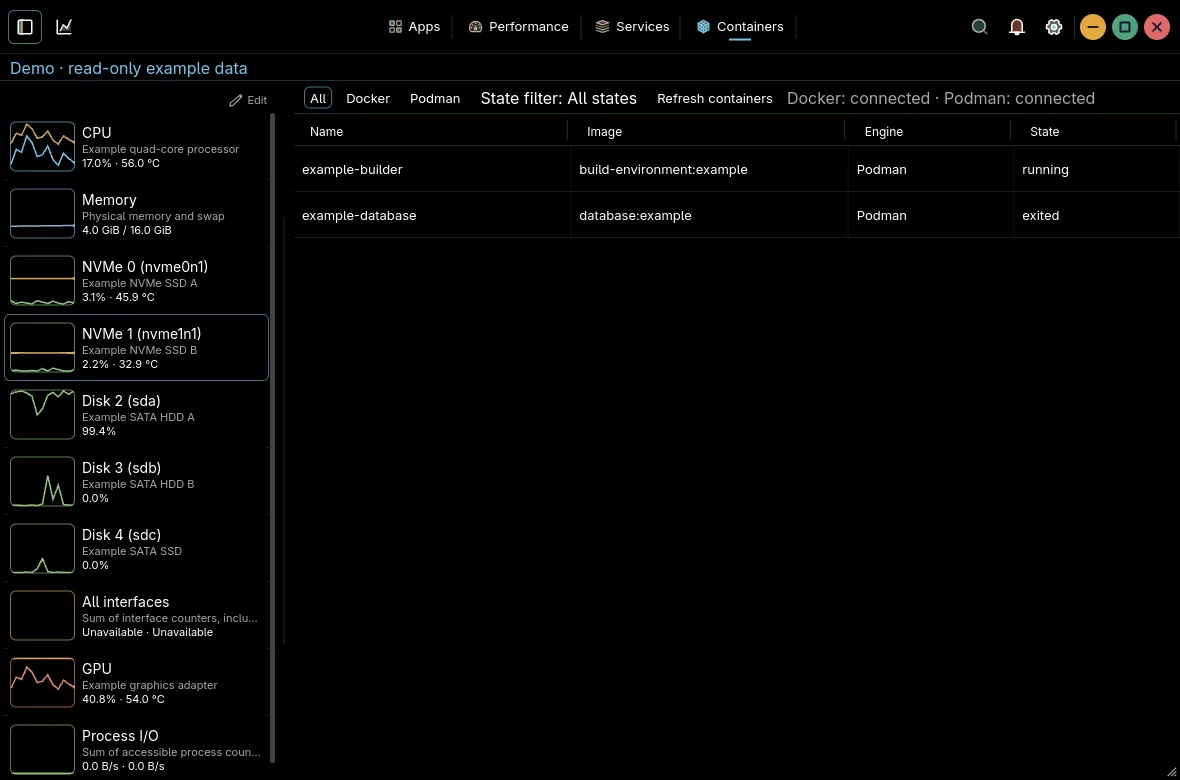
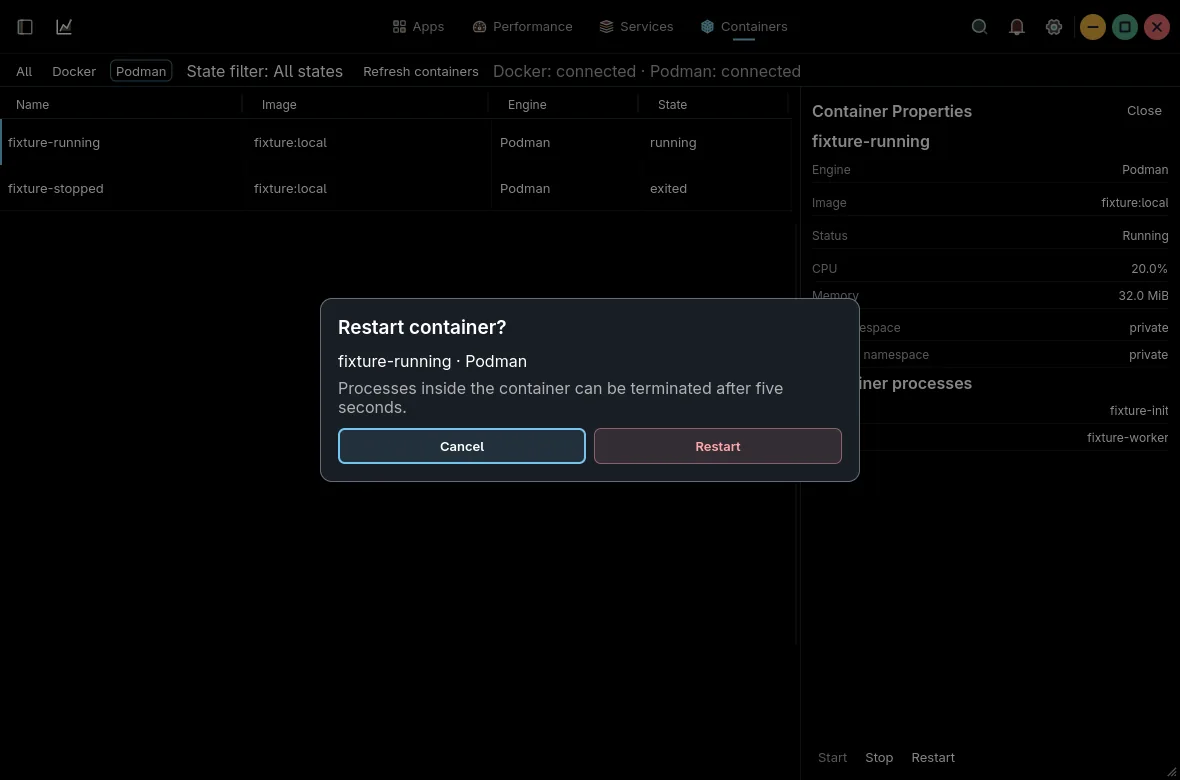
Docker and Podman through their local sockets or named pipes, found automatically or set as the Engine socket in Settings. Filter by engine, pick a container for its resource use and process list. Start, stop and restart name the exact container and go to the engine that listed it.
No registry credentials, remote endpoints, image pulls, exec or deletion are used. Shared PID and network namespaces are labelled.
BUILT IN · NO EXTENSION NEEDED
04 / Evidence, not verdicts
Question it. Heresia shows its evidence.
Heresia tells you what it saw and how it saw it. It does not turn a missing finding into a clean bill of health.
- Command lines on request. Routine identification reads only the interpreter and the first script path. A process's command line is read when you ask for General details, bounded to 32 KiB and 128 arguments, with sensitive option values and private positional arguments masked.
- Publisher is provenance. It comes from installed package metadata. It is not signature verification, and missing metadata stays visible as missing.
- Executables, read but never run.
inspectparses an executable's structure without running or uploading it. Imports are declarations, not observed calls; W+X sections and the EICAR test marker are evidence, not malware verdicts. - Not an antivirus. No verdict is drawn from resource use or imports alone, and nothing here scans live process memory.
heresia snapshot                      # two local samples as JSON; never transmitted
heresia services --user               # native services, read-only
heresia inspect path/to/executable    # static structure; the file is never run
heresia hash path/to/executable       # streamed checksum, on request only
heresia details 1234 --kind general   # the inspector's data: bounded, redacted
05 / Extensions
Add what you need. Grant only what it asks.
Extensions are separate programs, WebAssembly by preference, that add workspaces, side panels, process columns, menu entries, inspector tabs, status segments, settings sections and notifications. Heresia starts with none installed and bundles none.
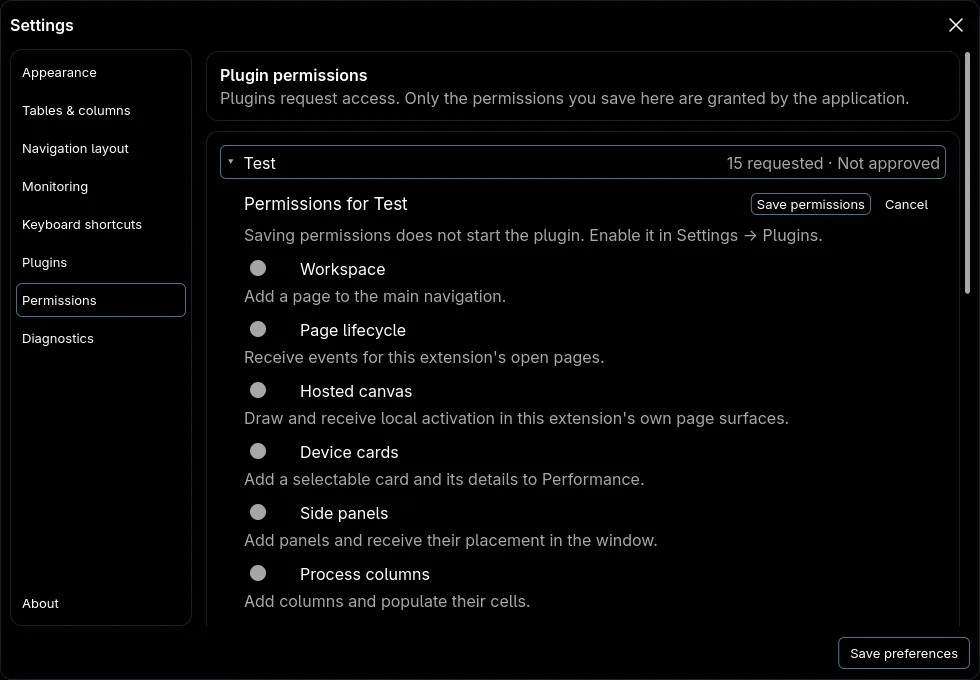
Installing one grants nothing and starts nothing. You read the permissions it asks for, worded by Heresia and not by the extension, and grant exactly the ones you choose. Every call it makes is checked against that saved choice.
- Workspace
- Page lifecycle
- Hosted canvas
- Side panels
- Process columns
- Process menu
- Process inspector
- Status bar
- Settings
- Notifications
- Device cards
- Process inventory
- Control application
- Extension services
- Search commands
- Network
- Executable contents
- Private storage
06 / What it does not do
No telemetry. No elevation.
No surprises.
Heresia does not send telemetry, upload files, elevate privileges, install drivers or run an extension you have not approved. Normal monitoring needs no administrator or root access, and where the system withholds a field, the field stays unavailable.
Reads, does not report
No account names, process environments or window text are collected. Preferences are saved on your computer, and the secrets of extensions are kept in the system's credential store, not in preferences.
Reports stay local
If it hangs or crashes it writes a diagnostic report to a folder only you can read. Nothing is uploaded.
Actions ask first
Ending or suspending a process, starting, stopping or restarting a container, and extension actions go through one confirmation that names the exact target. The destructive choice is never the default.
07 / Where it runs
Linux first.
Windows, honestly.
Heresia is written in Rust and draws its own window with Freya and Skia. The statuses below are the project's own, from its documentation.
- NATIVE EVIDENCE
Linux
Wayland and X11. The window runs with a real renderer in isolated test sessions.
- CI ONLY
Windows
Compiled and unit-tested in CI only. The window has not run on a native Windows machine, neither GPU driver has run there, and sandboxing for native extensions is not implemented on Windows.
- NOT BUILT
macOS
Not built or tested.
Graphics are Vulkan by default, with OpenGL and CPU-rendered Software as explicit choices in Settings. A renderer you select that is unavailable or lost fails closed: another backend is never substituted.
08 / Around the app
One app.
Nothing hidden around it.
- EXTENSIONSPrograms Heresia hosts.What an extension can add, the permissions it asks for, and the isolation around it.
- INSTALLBuild it from source.There is no download yet. The requirements, the commands and a read-only demo.
- PRIVACYWhat it reads. What it keeps.What stays on your computer, what can leave it, and the limits of both.
- SUPPORTSupported by choice.A voluntary tip buys nothing and unlocks nothing. Everything stays free.
DISCLAIMER · READ BEFORE YOU USE HERESIA
- It is in active development. Heresia is unpublished and unfinished, not yet at pre-release: version 0.1.0, built from source. Anything can change between builds.
- Ending things ends things. Ending or suspending a process, or changing its priority, affects running programs and can lose unsaved work. Starting, stopping or restarting a container acts on real workloads and may terminate the processes inside it. Each of these asks first.
- It is not an antivirus. It makes no clean verdict from missing findings, and it does not scan live process memory.
- Windows has not run natively yet. It is compiled and unit-tested in CI only. Do not assume the window works there.
- Extensions can send data. An extension you grant network and executable access can send data to its declared destinations. Review its permissions and each explicit action before you approve them.
- No warranty. Heresia is free software under the Apache License 2.0, provided on an "as is" basis, without warranties or conditions of any kind. Its authors are not liable for lost data, damage or any other consequence of using it.
What it does not collect
No telemetry, no analytics, no ads. Heresia collects no account names, process environments or window text, and it uploads no files. The only HTTPS requests it can make are those of extensions you installed, approved and granted Network access, to the origins they declared. Preferences and diagnostic files stay on your computer.
The license text is the binding statement; if anything here conflicts with it, the license governs. More in the privacy and security notes.